
It’s been too long!
It’s been a couple of years since my last post but thank you to those who have checked in over that time, it means a lot ❤️ Grief and feeling sorry for yourself sort of take over and before you know it two years have passed. I have thrown myself into work which fills up a good chunk of time and is tiring so I sleep well.
I’m trying to get my head around the whole JetPack thing so please bear with…
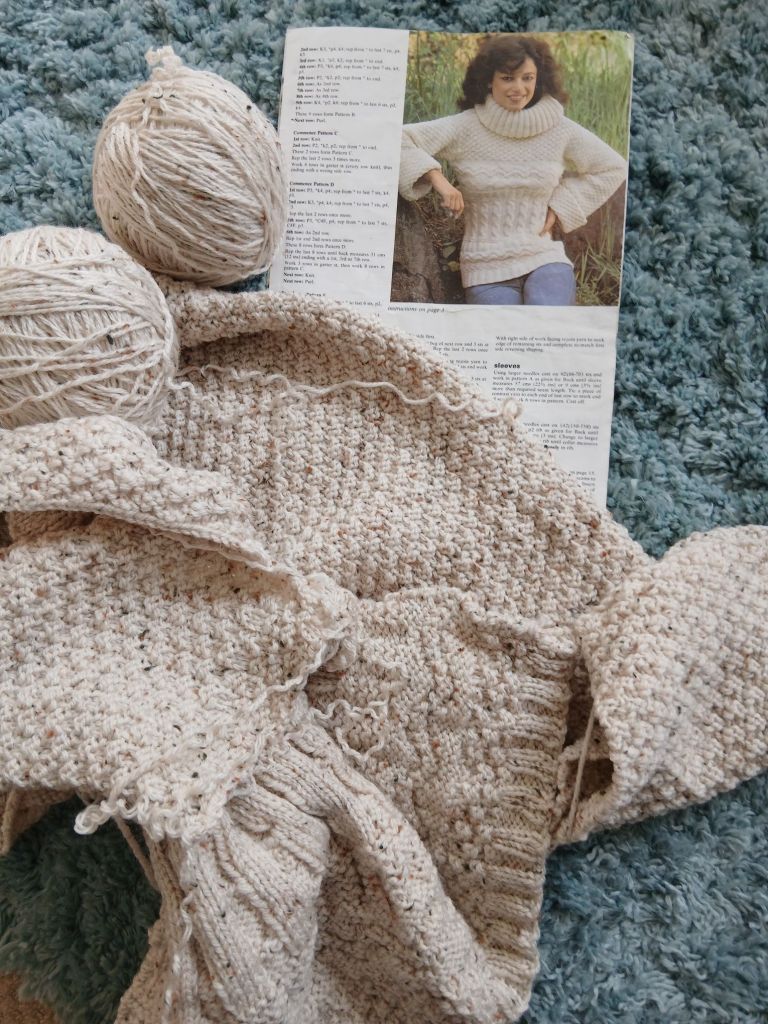
A bit short on projects but my father was clearing out a cupboard and found loads of half finished knitting. This one was mine. I must have started and forgot about this 40 years ago. I still have the pattern but a bit too vintage for my taste. And I seem to remember (yes I made and wore a garment like this) the sleeves are terribly inpractical, I was dipping them into everything 😱
I have my little “helper” still,
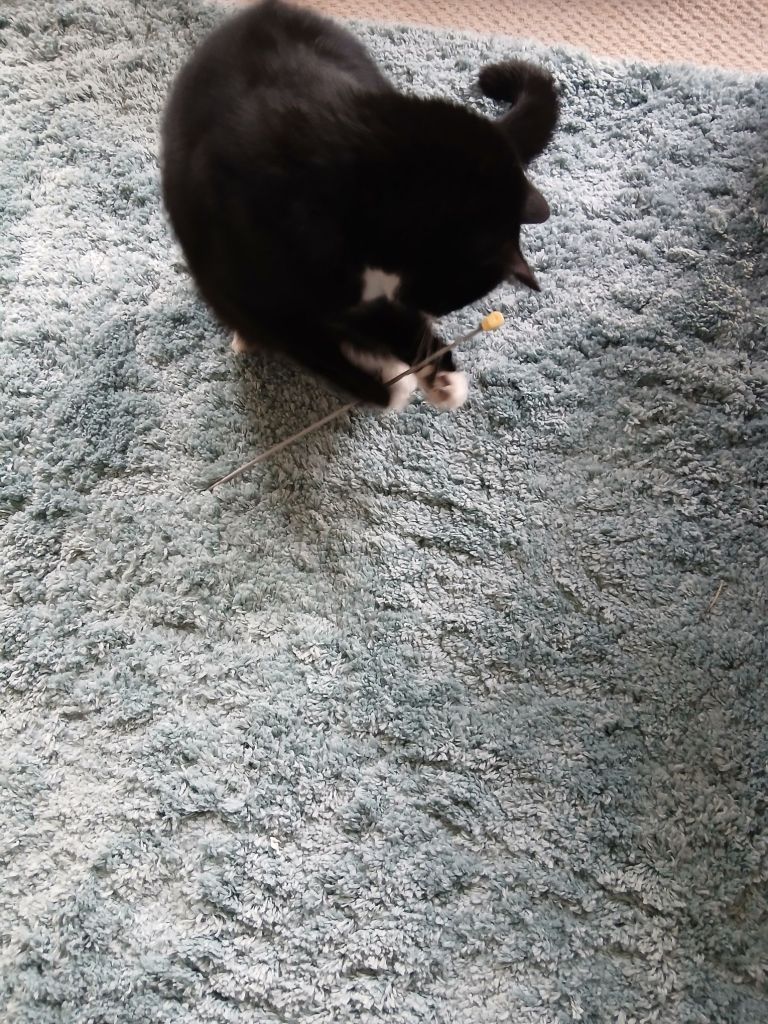
Projects to follow, if the cat gives me back my needles!
Woolly wishes,
Jane ♡♡♡


Welcome back! Sorry to read that you had suffered a bereavement.
LikeLiked by 2 people
Thank you. ❤️
LikeLiked by 1 person
Welcome back! Nice to see a pattern from the 80’s 🙂
LikeLiked by 1 person
Thank you Anna, I made the pullover in the 80s but have a sneaky feeling the pattern is from the 70s 😉
LikeLiked by 1 person
Glad to see you back – Unfortunately, neither photo came through for me, in the usual way; when I clicked on them they showed up, but probably not the entire photo. But I get the idea! I’ve had dogs eat wooden knitting needles a couple of times, but when I still had a cat he was respectful of my knitting, although he would sleep on it sometimes. I look forward to seeing what you work on next –
LikeLiked by 1 person
Thank you. As I said I’m trying to get my head around the whole Jet Pack thing so hopefully I will fond out how to add whole photos ☝️
LikeLiked by 1 person
So good to see you back online. Grief is a very shattering, it takes a while to get past the depression it causes. I understand well. Be patient with yourself, peace comes but it’s slow and you will still have times grief reappears for a short time around dates that have special meaning to you.
I find that I can resize my pictures when I put them in, above the picture it lets you center and resize. I also found that before you put your pictures in there where it says type to choose your block to the right of that is a box with a + in it. If you click that, you can choose paragraph, picture, gallery , etc. If I have more than one picture I choose gallery and when you do that, it will let you choose a couple of styles you want your pictures to show up as, I usually choose tiled because it makes them smaller to fit them all in but it won’t let you resize in the tiled. But you can resize if you put just one picture in there is a box above the picture when you add it that will give you the option to center it, then you can resize it by clicking on one of the small boxes around the picture and push in to make it smaller. I hate when they change things and I have to refigure out how to do things :/.
LikeLiked by 1 person
Thank you for the advice, I will have a play! Watch this space as they say 🤣
LikeLiked by 1 person
Welcome back, Jane!
I have missed reading your posts on Wooly Wednesday!
LikeLiked by 1 person
Thank you Nadine ❤️
LikeLiked by 1 person
I also disappeared from the blogosphere for a couple of years and only recently started posting again! There have been a few changes that I am also relearning! 😊
LikeLiked by 1 person